
For Google Docs
Check your references in Google Docs. Nothing to install.
Reference managers want every co-author on the same software, the same connector and the same shared library. RefRunner reads your paper from its share link. The paper is the record of what you cited; the public databases are the library.
No account: 20 references a day. Free account: 50 a day. Paid plan: any paper, any size, 1,000 references a month. See plans
📱 On a phone? Create a free account now and your reference lists will be waiting when you start working on your paper.
How it works
Share the link
In Docs, click Share, choose "Anyone with the link", and copy the link. Paste it into RefRunner.
Fix in RefRunner
Each reference is checked against the publisher's record and each citation against the list. Copy a corrected entry and paste it over the old one in Docs.
Reload
Click Reload in RefRunner. It fetches the document again and checks what changed.
What it looks like
Under a minute
Share link, fix, paste, reload
The whole loop on a real paper, narrated.
In RefRunner
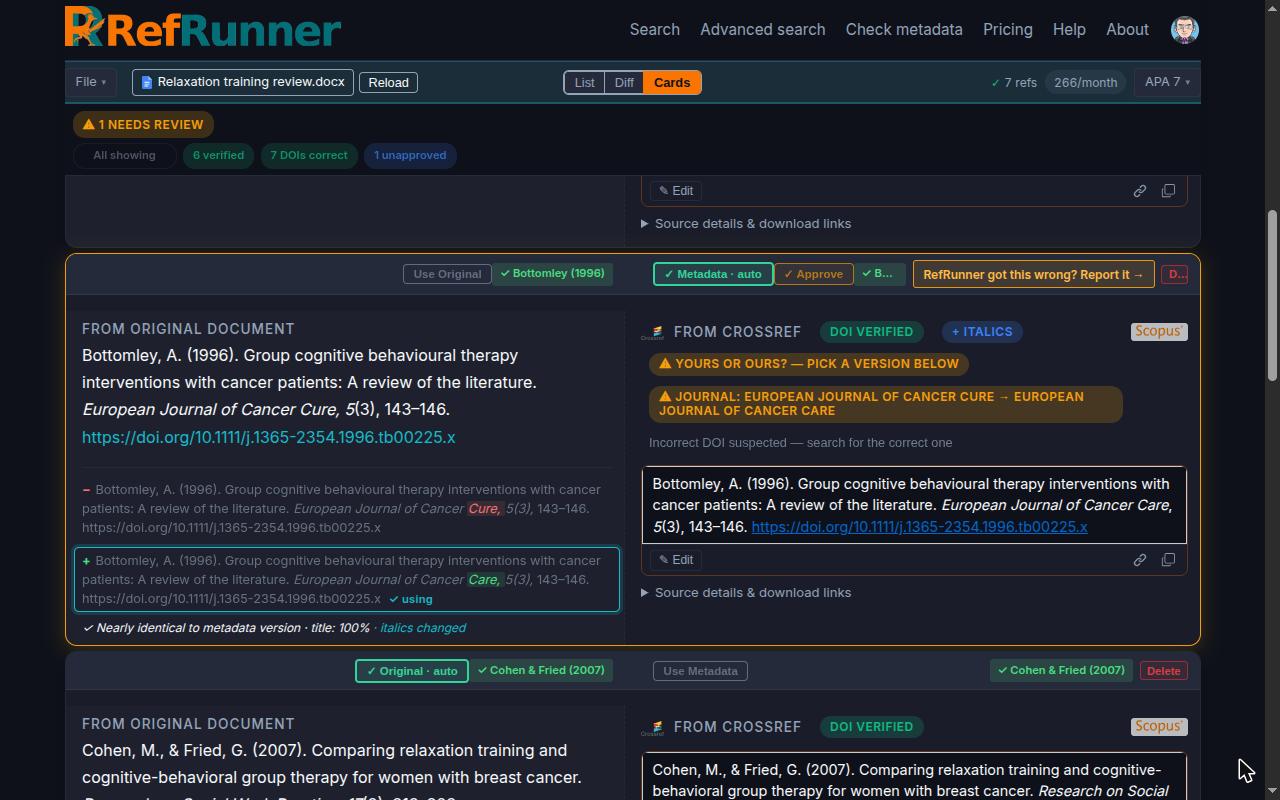
The journal is Cancer Care, not Cancer Cure
Each reference is checked against the publisher's record. What differs is marked, the corrected entry is on the right, and the copy icon under it puts it on your clipboard in your citation style.
In Google Docs
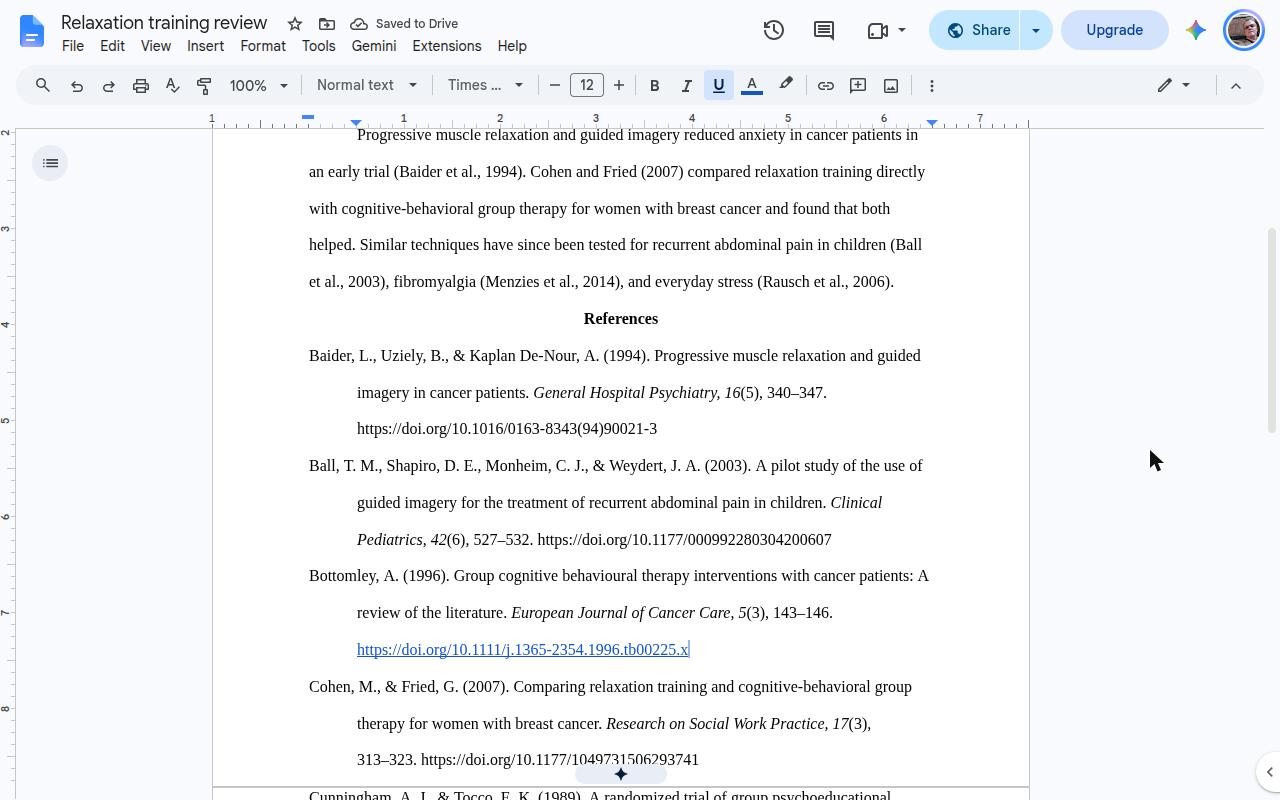
Select the old entry, paste
The pasted entry takes the paragraph's formatting, hanging indent included. Back in RefRunner, click Reload: it fetches the document again and the reference checks out.
Questions
Do my co-authors need to install anything?
No. RefRunner reads the document from its share link, so nothing is installed and there's no shared library to keep in sync. Anyone on the paper can paste the link and check it.
Is this a replacement for Zotero?
Not quite. Zotero formats a bibliography from its own database, including works it has no public record for. RefRunner restyles what it can find in Crossref, OpenAlex and the other databases, and flags what it can't. Many people use both: Zotero to collect, RefRunner to check before submission, or to get over the line when the connector fails.
Does RefRunner change my document?
No. It only reads it. You paste the corrections in yourself, so you see every change. Reload reads the document again when you're done.
Does the document have to be public?
It has to be readable by anyone with the link while RefRunner reads it; it isn't listed anywhere, and you can turn sharing off afterwards. A document shared with specific people can't be read; download it as .docx and drop that in instead.
What does it check?
Every reference against Crossref, OpenAlex, the Library of Congress and the other databases: authors, years, titles, journals, pages and DOIs, with retractions flagged. In-text citations are matched to the reference list, so a citation with no entry, or an entry nothing cites, is listed.
What does it cost?
Nothing to try: 20 reference lookups a day without an account. A free account has 50 a day and a saved list; subscribers get more lookups and a list per paper.
No account: 20 references a day. Free account: 50 a day. Paid plan: any paper, any size, 1,000 references a month. See plans
📱 On a phone? Create a free account now and your reference lists will be waiting when you start working on your paper.